
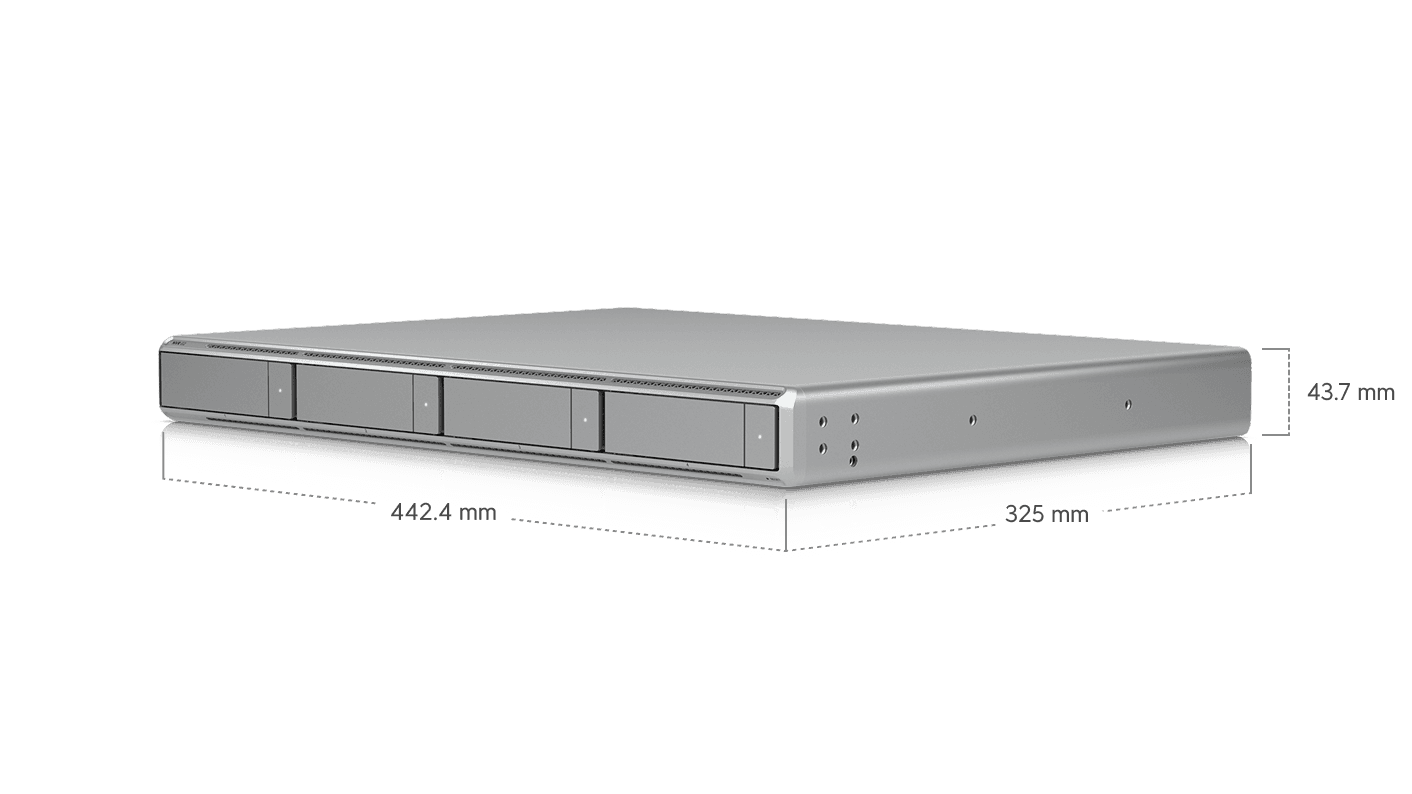
Six years is a long time in tech. We deployed our first UniFi UNVR back in mid-2020, and it has been chugging along ever since, quietly recording footage and never asking for much. This week, UniFi announced the next generation: the UNVR G2 and the eight-bay UNVR G2 Pro, alongside the new UniFi Protect 7.1 software release. For anyone running a small business camera system on the original UNVR, this is the first hardware refresh that has us actually paying attention. Here is what changed, why it matters, and how to figure out whether your business is the right fit for an upgrade.
What's Actually New (Beyond the Marketing)
The headline jump is processing power. The original UNVR ran on a quad-core ARM Cortex A57 at 1.7GHz with 4GB of RAM. The new G2 uses a Qualcomm Kryo CPU with one prime core at 3.2GHz, four performance cores at 2.8GHz, and three efficiency cores at 2GHz. RAM doubles to 8GB on the G2, and the G2 Pro doubles again to 16GB.
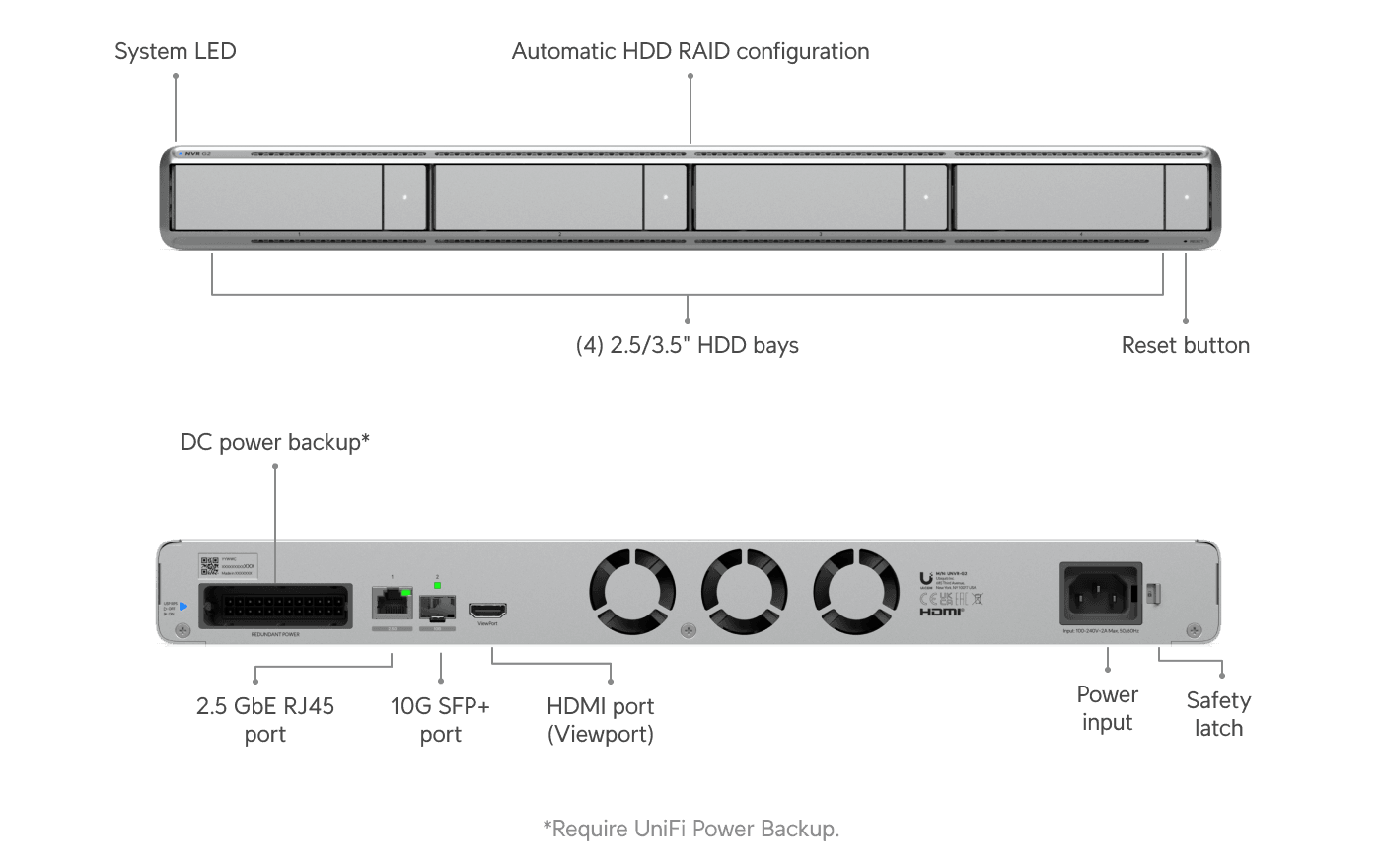
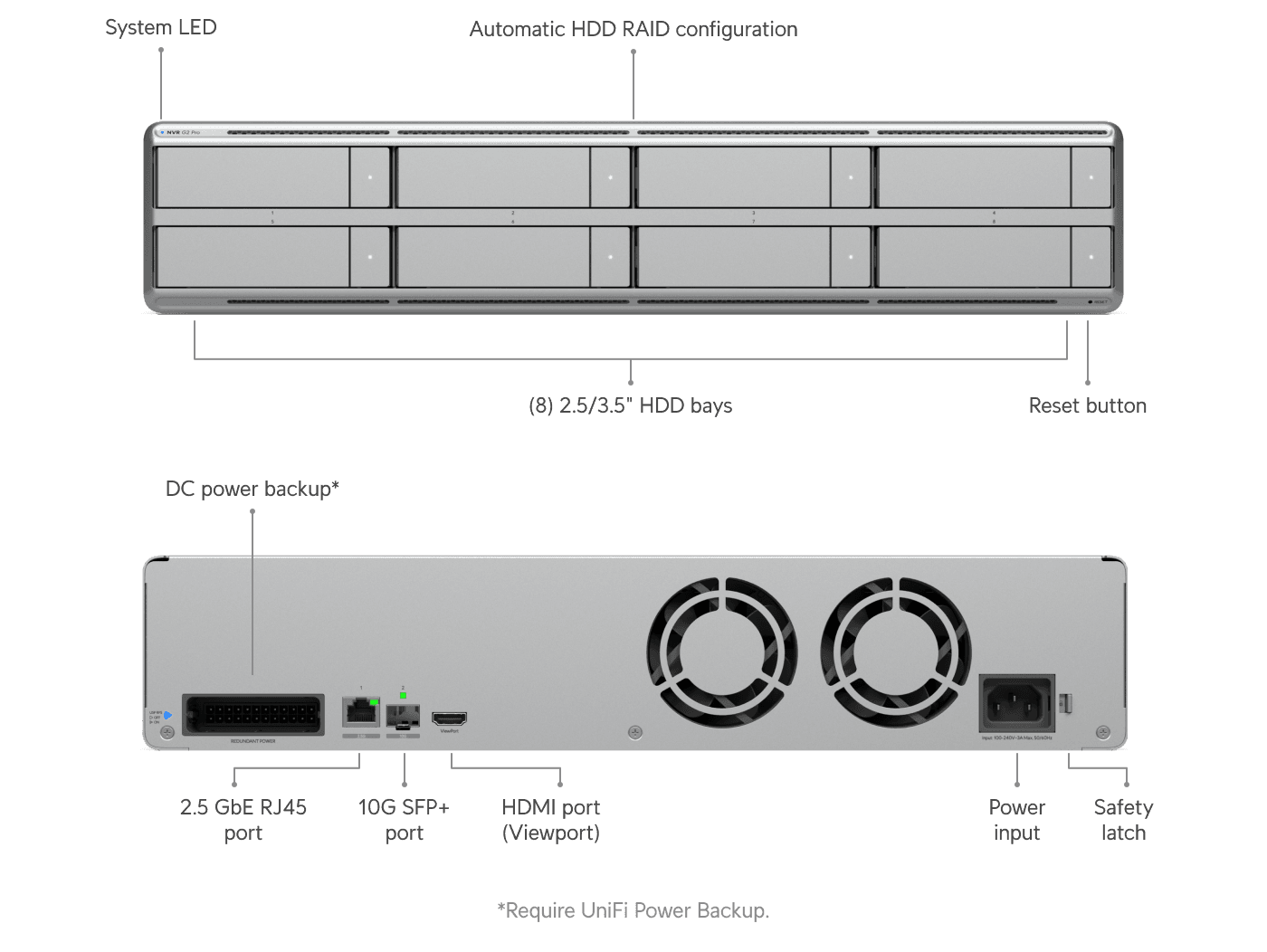
Networking moves up a tier too. The original UNVR shipped with a 1Gbit copper port. The G2 family adds a 10Gbit SFP+ port and a 2.5Gbit RJ45, meaningful if you are pushing many 4K camera streams across your network. Both new units also include a built-in HDMI viewport, which means you can plug a monitor directly into the recorder and run a wall display without a separate viewing device. The G2 Pro adds a locking power cable and support for the UniFi RPS (Redundant Power Supply) accessory, both useful for anyone running their NVR as a critical system.
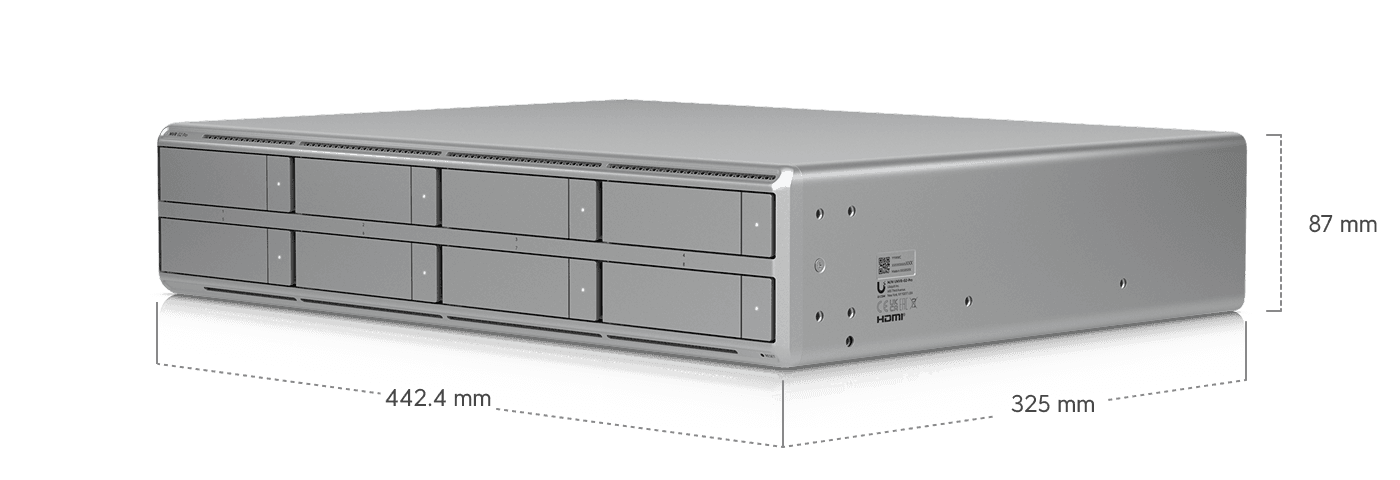
Pricing breaks down clearly. The original UNVR stays at $299. The new G2 lands at $699. The eight-bay G2 Pro comes in at $999. That spread matters, because UniFi has effectively created a tier for every size of operation, and the right answer for your business depends on what you actually need.
What the On-Device AI Actually Does
The biggest functional change is AI. The G2 line includes on-device AI processing, which means several capabilities that previously required a separate AI Key now run natively on the recorder. You get natural language search, object indexing, Find Anything, person ID, and search by image. All of it runs locally, with no subscription and no cloud dependency.
For day-to-day use, this is a real upgrade. Need to find every person in a red jacket who walked through the lobby between 4 and 6 PM on Tuesday? Two clicks. Looking for a specific vehicle that came through the parking lot last week? Done. The time savings on reviewing footage is substantial, and for any business that handles incident review, insurance claims, or compliance documentation, it changes the workflow.
What the G2's onboard AI does not do is replace the AI Key entirely. If you want AI-generated activity summaries, speech transcription, face ID, or license plate recognition on older G4 and G5 cameras, you still need an AI Key. UniFi made this distinction on purpose. High-end RAM has gotten seriously expensive in 2026, and packing every AI feature into the base unit would have pushed the price several hundred dollars higher. By splitting features between onboard AI for the common cases and the AI Key for the heavier workloads, UniFi kept the entry point reasonable while giving you a clear upgrade path.
What Changed in UniFi Protect 7.1
The software update lands at the same time as the hardware, and a few features stand out. Video Walls let you combine cameras from multiple recorders into one viewing surface. If you manage cameras across multiple offices or sites, this replaces the old Vantage Point feature and makes a unified view much easier to build.
Live view customization is more flexible too. You can drag, resize, and arrange camera tiles however you like, which sounds small but matters when you spend any real time looking at the dashboard. Vehicle tracking is now standard on AI PTZ cameras. And after a long wait, Protect 7.1 finally supports audio and motion detection on non-UniFi cameras, which closes a frustrating gap for anyone running mixed-brand camera deployments.
A Quick Gut Check Before You Upgrade
Before you put the G2 in your cart, walk through these questions:
- Are you running more than eight cameras, or planning to expand in the next 12 months?
- Do you spend real time scrubbing through footage to investigate incidents or pull clips?
- Are most of your cameras G6 or AI-series, where the on-device AI is fully useful?
- Is your current UNVR struggling with stream count, slow searches, or missed detections?
- Do you need redundant power for a system you consider mission-critical?
If you said yes to two or three of those, the G2 or G2 Pro is going to feel like a meaningful upgrade. If your existing UNVR is keeping up with a small camera count and you are not regularly digging through footage, the original UNVR at $299 is still a very good unit.
What This Means for Your Business
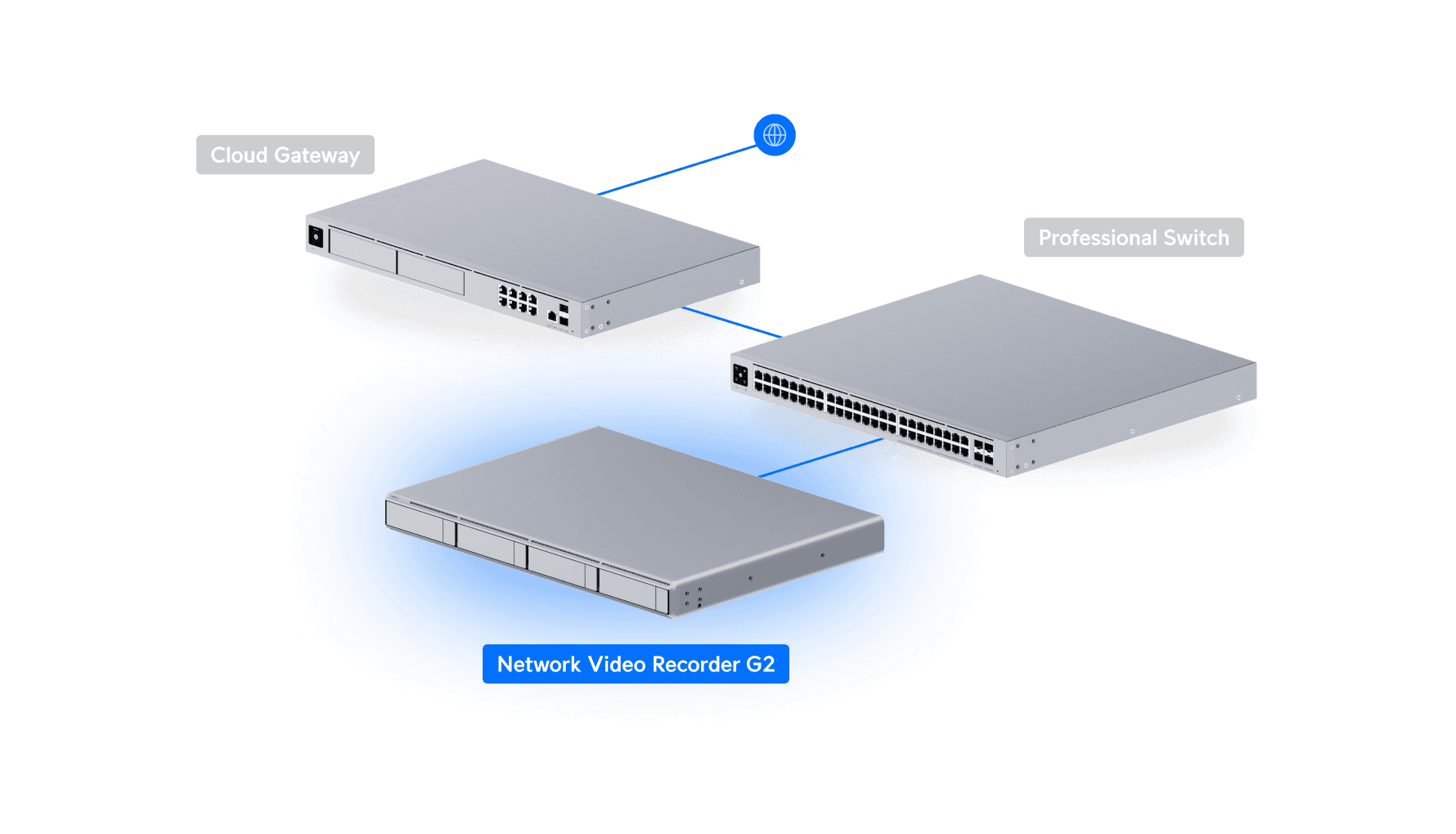
Most of our clients who run UniFi Protect are not watching a wall of monitors all day. They are running it quietly in the background and reaching for it only when something happens, like a delivery dispute, an after-hours alarm, or a question about who was in the building. That is where the G2's AI features actually save time. Searching for "person in a red jacket between 4 and 6 PM" beats scrubbing through six hours of footage every single time. More MSPs are standardizing on UniFi every year, and we have been watching that trend shape what we recommend to clients.
For businesses with eight or more cameras, especially those mixing newer AI-series hardware with older G4 and G5 cameras, the G2 Pro at $999 is the sweet spot. The extra RAM matters more than it might seem at the time of purchase. Protect adds features with every release, and the original UNVR generation is going to age out of newer capabilities sooner than the G2 line will. If you are sizing this kind of build for an office or campus, the drive count, switch capacity, and storage strategy all matter more than the spec sheet implies.
If your camera count is small and your workflow is simple, the original UNVR is still a perfectly capable unit. UniFi did the hard work of building a real tier system here, with what we would call a Goldilocks middle option in the G2. The right answer depends entirely on how your team actually uses the footage.
Where to Buy
If you're ready to pull the trigger, these are our UniFi affiliate links. Buying through them supports the channel at no extra cost to you:
DPC Technology has been the trusted IT partner for small businesses across Florida, Georgia, and South Carolina since 1995, with deep specialization in managed IT, cybersecurity, and UniFi deployments. If your business has 10 or more employees in the Southeast and you're looking for an ongoing managed services partner, give us a call at (844) 260-5020.